Category: computers

Interesting pre-announced products that may or may not ship, and may or may not have an impact on desktop/network computing

  • Backup Your Computer Hard Drive, right now

    via: Virginia Hernan@NYTimes.com

    A few weeks ago, my laptop suffered a fall onto linoleum that made its congenitally nervous hard drive more nervous even than usual. Fortunately, days later, the drive turned miraculously tranquil, efficient. Its anxieties disappeared, as if by magic. There was no freezing or whirring. I wrote some e-mail messages, surfed the Web and organized some photos before shutting things down.

    There is no sadder admission by someone who considers themselves a competent IT Professional, than to say, “I resemble that.” I too suffered a Hard Drive mishap, caused by my own ignorance while upgrading my Mac from OS X 10.3 to OS X 10.4. The problem lay in an article I read on a Mac Enthusiast website that indicated there was a new user account migration utility built-in to the new installer on 10.4. So rather than run the Archive and Install option, which would leave the old operating system and all its files, I chose Erase and Install. Why? My mis-reading of the article on the enthusiast website led me to believe I could Erase and Install and then watch the User Migration Utility magically lauch itself. It would pull over my user folder and all the Applications installed on the machine originally. Leaving me with much less work to do once the OS was installed. Past experience proved that reinstalling all your old software takes forever, and I was trying to avoid that.

    Joe Kissell
    Taking Control of Mac OS X 10.4

    via: TidBITS : Evaluating the Tiger Installation Process.

    The key to this new way of thinking is Migration Assistant (the same tool that Apple provides to facilitate moving files from an old Mac to a new one). You don’t have to run this program separately; all its capabilities are integrated into Setup Assistant under the auspices of “File Transfer.”

    So you can imagine to my horror as the erase and install was progressing, the Migration Assistant was not popping up asking me what I wanted to do. And by then it was too late. The Erasure was already wiping the drive or at least setting all the flags on all the files so that they appeared to be open, write-enabled sectors on the Hard Drive. And I didn’t have a full backup of the drive contents before the install. That was my biggest mistake, considering now I’m very familiar with disk cloning. I too have learned the hard lessons of self-inflicted hard drive mishaps. You should take heed of all these warnings too. Put down that iPhone, turn off that TV get on Amazon and buy yourself an external Hard drive and backup, backup, backup.

    Data Robotics-DROBO
    Data Robotics-DROBO
  • AnandTech: AVIVO Video Converter

    ATI Avivo Video Converter
    Avivo control panel

    About a year ago I wrote an article about nVidia’s attempt to use it’s video graphics cards to accelerate transcoding. H.264 was fast becoming the gold standard for desktop video, video sharing through social networking websites, and for viewing on handheld devices. In the time since then, Badaboom entered the market and has gone through a revision of it’s original GPU accelerated transcoding software. Apple is now touting OpenCL as the API through which any software can access the potential of using all those graphics pipelines to accelerate parallel operations off of the CPU. nVidia is supporting OpenCL whole hog and I think there is some hope Microsoft won’t try to undermine it too much though it’s standing strong with DirectX as the preferred API for anything that talks to a graphics card for any reason.

    So where does AMD with it’s ATI card fit into the universe of GPU accelerated software? According to Anandtech, it doesn’t fit in at all. The first attempts at providing transcoding have proved a Big Fail. While Badaboom outlcasses it at every turn in the transcoded video it produces. Hopefully OpenCL can be abstracted enough to cover AMD and nVidia’s product offerings with a single unified interface to allow acceleration to occur much more easily as citizen of the OS. Talking directly to the metal is only going to provide headaches down the road as OSes are updated and drivers change. But even with that level of support, it looks like AMD’s not quite got the hang of this yet. Hopefully they can spare a few engineers and a few clock cycles and take Avivo out of alpha prototype stage and show off what they can do. The biggest disappointment of all is that even the commercial transcoder from Cyberlink  using the ATI card didn’t match up to Badaboom on nVidia.

    A few months ago, we tested AMD’s AVIVO Video Converter. AMD had just enabled video transcode acceleration on the GPU, and they wanted to position their free utility as competition to CUDA enabled (and thus NVIDIA only) Badaboom. Certainly, for a free utility, we would not expect the same level of compatibility and quality as we would from a commercial application like Badaboom. But what we saw really didn’t even deliver what we would expect even from a free application.

    via AnandTech: AVIVO Video Converter Redux and ATI Stream Quick Look.

  • “Pine Trail”-Intel’s next Atom CPU revision

    In the netbook manufacturing and product development industry, the next big thing is always Intel’s rev of the CPU and chipset. Cue the entry of the Pine Trail CPU and it’s partner I/O Hub chip. Only just this year has Intel shown a willingness to combine functions onto the same processor die. I am very interested to see that the CPU is combining not just the Memory Controller as is the case the top of the line i7 CPU family. Talk about a weight reduction right? The original chipset consisted of no less than 3 processors a North Bridge and South Bridge along with the CPU. Now with the coming of the Pine Trail, it’s a big CPU/GPU/Memory combo and a single I/O hub. I’m hoping the power consumption improves and comes much closer to the proposed specs of the Android based netbooks that will use Smartphone CPUs like Motorola’s or ARM based System-on-Chip custom CPUs. If Intel can combine functions and get battery life for a 3-cell unit to average 8+ hours under even heavy CPU loads, then they will have truly accomplished something. I’m looking forward to the first products to market using the Intel N450, but don’t expect to see them until after Christmas of this year 2009.

    Atom CPU and chipset
    The Intel Atom

    It should use the technology behind Pineview and would be made built on a new, 45 nanometer design that merges the memory controller and graphics directly into the processor; accompanying it would be the new-generation Tiger Point chipset, which is needed for and takes advantage of the N450 design.

    From: MacNN|Electronista

  • More word on Larrabee, the i740 of new GPUs

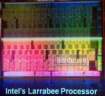
    Remembering that the Intel Itanium was supposed to be a ground-breaking departure with the past, can Larrabee be all that and more for graphics? Itanium is still not what Intel had hoped. And poor early adopters are still buying new and vastly over-priced minor incremental revs of the same CPU architecture to this day. Given the delays (2011 is now the release date) and it’s size (650mm^2) how is Intel every going to make this project a success. It seems bound for the the Big Fail heap of the future as it bears uncanny resemblances to Itanium and the Intel i740 graphics architecture. The chips is far too big and the release date way to far into the future to keep up with developments at nVidia and AMD. They are not going to stand still waiting for the behemoth to release to manufacturing. I just don’t know how Larrabee is ever going to be successful. It took so long to release the i740, that the market for low end graphics GPUs had eroded to the point where Intel could only sell it for the measly price of $35 per card, and even then no one bought it.

    Larrabee GPU

    According to current known information, our source indicated that Larrabee may end up being quite a big chip–literally. In fact,we were informed that Larrabee may be close to 650mm square die, and to be produced at 45nm. “If those measurements are normalized to match Nvidia’s GT200 core, then Larrabee would be roughly 971mm squared,” said our source–hefty indeed. This is of course, an assumption that Intel will be producing Larrabee on a 45nm core.

    via Intel’s ‘Larrabee’ to Be “Huge” – Tom’s Hardware.

  • Suspenders and a Belt: Tips for backin’ up your Mac

    The Mac has Time Machine built right in
    The Mac has Time Machine built right in

    A co-worker has been working on a reporting tool to allow a Mac user to get reports from Time Machine whenever there’s a failure in the backup. Failure messages occasionally come up when Time Machine runs, but it never says what folder, what file or really what kind of failure occured. Which is not what you want if you are absolutely depending on the data being recoverable via Time Machine. It’s not bulletproof and it will lull you into complacency once you have it up and running. I tend to agree that a belt and suspenders approach is best. I’ve read countless articles saying Disk Clones are the best, and on the other side, Incremental Backups are most accurate (in terms of having the latest version of a file) and more efficient with disk space (no need to duplicate the system folder again right?) With the cost of Western Digital My Books dropping all the time, you could purchase two separate USB2 Lifebooks, use a disk cloning utility for one drive, Time Machine for the other. Then you would have a bullet proof backup scheme. One reader commented in this article that off-site backup is necessary as well, so include that as the third leg of your backup triad.

    Since errors and failure can happen in any backup system, we recommend that if you have the available resources (namely, spare external hard drives) that you set up dual, independent backups, and, in doing so, take advantage of more than one way of backing up your system. This will prevent any errors in a backup system from propagating to subsequent backups.

    One strongly recommended solution that we advocate is to have both a snapshot-based system such as Time Machine in addition to a bootable clone system as well using a software package such as SuperDuper or Carbon Copy Cloner. Doing this will ensure you can both boot and access your most recently changed files in the event of either data loss or hardware failure.

    via MacFixIt

  • CSS Web Site Design Hands-On Training

    CSS Web Site Design by Eric Meyer
    CSS Web Site Design by Eric Meyer

    Specifically what is it about CSS that drives me crazy? I am the most evil of ancient dead wood. I am an HTML table man. I got by using tables and got on with my life. I never questioned what I did. I co-worker began beating the drum of usability and web standards about 5 years ago and eliminated tables from his web designs and re-designs. I clung to tables every time somebody pitifully ask me, “Could you make a website for me?”. Usually it was no more than a two cell table to enforce a two column style layout. Picture and text both in their respective cells. Nothing complicated our out of control.

    The day of reckoning is now, I am finally “learning” how to use CSS to enforce the old 2 column style web page I always would get asked to make for people. That’s right simplicity in it’s most essential form. But here’s the rub, you absolutely need to know what you are doing. You need a guide to help you navigate the idiosyncracies and vagueries of the CSS Box model and CSS Layout algorithms. What’s that?!

    Even at this late stage in the evolution of CSS, HTML, CSS2, XHTML and CSS3 and beyond there’s no tag, no markup, no code that will let you express this simple idea:

    Create 2 columns (picture goes on left, text goes on right)

    No, in fact what I’m learning from Eric Raymond’s book written under the aegis of Lynda.com is you need to know how the CSS box model including margins, and padding interact to force the web page to render as you intend it to. While creating a DIV element is stragithforward and having DIVs sit comfortably next to one another (like those old 2 cell tables) getting them to render correctly as the web browser grows and shrinks is tricky.

    On page 131 of CSS Web Site Design, Eric Raymond states (pull quote indicating use of padding in the #content DIV and the negative margin for the #sidebar DIV). This kind of precision with rendering the DIVs is absolutely necessary to replicate the old HTML table formatting. But the workaround, or magic or trick to it all is reading or learning from someone else the fact that a DIVs width is determine by it’s stated width + the margin. If you set the margin to be a negative (which is allowed) the browser effectively subracts that amount from the stated width. When the two numbers add up to -1, the web browser ‘ignores’ the DIV and lets it do whatever it wants. In this example that Eric Raymond uses the sidebar DIV pops up to the same height as the content DIV. Previously, the sidebar had to sit all the way to the right, until the browser go to small, then it would suddenly pop-down below it’s neighbor. With a negative width, the browser doesn’t see the sidebar div and leaves it alone, it doesn’t popdown, it stays right where it is.

    The other half of this equation is to leave generous amounts of padding in the content DIV.  The giant field of padding allows the ignored sidebar DIV to occupy some nice open whitespace, without stomping on any text in the content DIV. So extra padding on left hand DIV, negative width on the right hand DIV and you have the functional CSS equivalent of the two cell table of yore. Wow. I understand the necessity of doing this, I know all the benefits of adhering to accessibility requirements, and maintaining web standards. Nobody should be discriminated against because the website wasn’t designed the right way.

    My own conclusion however is that while CSS does a lot it suffers the same problems as we had under all previous web design regimes. To accomplish the simple stuff, requires deep, esoteric knowledge of the workarounds. That is what differentiates the Dreamweaver jockeys from the real web designers, they know the tricks and employ them to get the website to look like the Photoshop comps. And it’s all searchable, and readable using screen reading software. But what a winding, twisty road to get there. It’s not rocket science, but it ain’t trivial either.