-
This company is a hosting provider too and will include an install of the Expression Engine if you so desire
-
There is no more important provider of Map data than Navteq
-
Outlook email sync with Gmail
Blog
-
links for 2009-06-12
-
Wikipedia edit wars revisited
Regarding & related to: Replaying history « Jon Udell.
Did you know that recently Wikipedia banned editing articles on the Church of Scientology? This reminded me of a project where Jon Udell showed an animation of edits done to a Wikipedia page. Only through animating and visualizing the process did one really understand what had happens to a Wikipedia article over time. Each bit of phrasing, verbiage and links goes back and forth with paragraphs and sentences disappearing then reappaearing. We don’t think of editing words as inherently visual. Compared to film or music recording, writing prose or technical writing is a mental exercise, not a visual one. Yet, when shown a compelling example like Jon Udell’s we inherently just ‘get it’.
After that article was published by Jon Udell and since the wikiAnimate example coursed its way through the Internet, there hasn’t been much noticeable follow-up action. Lots of good ideas are left to wither in the Internet Archive. I don’t see a lot of Slashdot activity on visualizing wiki edits. The biggest problem Jon points out with the original wikiAnimate solution was that it would do a round trip of HTTP GET for every step shown in the animation. This loads down the network way too much and hits Wikipedia with to many HTTP GET requests. Jon Udell, ever the vigilant writer/researcher decided to revisit the original idea. Jon is a kind of pragamtist who readily adapts what already exists. He suggests a couple of ways existing projects could be adapted to the purpose of visualizing changes in text as it is written.
The Wave toolkit from Google is one example. Google Wave has the ability to “playback” conversations back and forth over a period of time. Maybe that ‘playback’ feature could be re-used by an enterprising developer using the Wave APIs. Another possible solution Jon Udell gives is FeedSync which is implemented in the Windows Live webservice. My assumption is there is some kind of flight recording like ability to track each step, then play it back. I don’t write software or develop software. I barely do scripting. however Jon Udell is big on prototyping and showing full examples of how a Social Bookmarking service like del.icio.us could be adapted to the purpose of aggregating community calendars and transforming their contents into multiple output formats for re-consumption. And he’s willing to write just enough middleware and glue code to make it work. It’s a kind of rampant re-usableism. I would characterize the philosophy as this: Sure there’s enough good ideas/products out there one must only decompose the problem to the point where you see the pattern fit well with an existing solution. That’s the true genius of a guy like Jon Udell.
-
“Pine Trail”-Intel’s next Atom CPU revision
In the netbook manufacturing and product development industry, the next big thing is always Intel’s rev of the CPU and chipset. Cue the entry of the Pine Trail CPU and it’s partner I/O Hub chip. Only just this year has Intel shown a willingness to combine functions onto the same processor die. I am very interested to see that the CPU is combining not just the Memory Controller as is the case the top of the line i7 CPU family. Talk about a weight reduction right? The original chipset consisted of no less than 3 processors a North Bridge and South Bridge along with the CPU. Now with the coming of the Pine Trail, it’s a big CPU/GPU/Memory combo and a single I/O hub. I’m hoping the power consumption improves and comes much closer to the proposed specs of the Android based netbooks that will use Smartphone CPUs like Motorola’s or ARM based System-on-Chip custom CPUs. If Intel can combine functions and get battery life for a 3-cell unit to average 8+ hours under even heavy CPU loads, then they will have truly accomplished something. I’m looking forward to the first products to market using the Intel N450, but don’t expect to see them until after Christmas of this year 2009.

The Intel Atom It should use the technology behind Pineview and would be made built on a new, 45 nanometer design that merges the memory controller and graphics directly into the processor; accompanying it would be the new-generation Tiger Point chipset, which is needed for and takes advantage of the N450 design.
From: MacNN|Electronista
-
More word on Larrabee, the i740 of new GPUs
Remembering that the Intel Itanium was supposed to be a ground-breaking departure with the past, can Larrabee be all that and more for graphics? Itanium is still not what Intel had hoped. And poor early adopters are still buying new and vastly over-priced minor incremental revs of the same CPU architecture to this day. Given the delays (2011 is now the release date) and it’s size (650mm^2) how is Intel every going to make this project a success. It seems bound for the the Big Fail heap of the future as it bears uncanny resemblances to Itanium and the Intel i740 graphics architecture. The chips is far too big and the release date way to far into the future to keep up with developments at nVidia and AMD. They are not going to stand still waiting for the behemoth to release to manufacturing. I just don’t know how Larrabee is ever going to be successful. It took so long to release the i740, that the market for low end graphics GPUs had eroded to the point where Intel could only sell it for the measly price of $35 per card, and even then no one bought it.
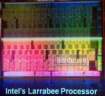
According to current known information, our source indicated that Larrabee may end up being quite a big chip–literally. In fact,we were informed that Larrabee may be close to 650mm square die, and to be produced at 45nm. “If those measurements are normalized to match Nvidia’s GT200 core, then Larrabee would be roughly 971mm squared,” said our source–hefty indeed. This is of course, an assumption that Intel will be producing Larrabee on a 45nm core.
-
links for 2009-06-09
-
Used to be the premiere video board for editing Premiere with real time FX Preview on the PeeCee.
-
Berkeley's own department of computer architecture is legendary alongside that of Stanford. The two together have pioneered more technologies for the Computer Industry than any other University.
-
Grout Sealer guaranteed to stand up to wear and tear
-
ABC affiliate in Rochester, NY
-
-
links for 2009-06-06
-
Dryden Theatre film schedule
-
IEEE Learning Technology Standards Committee, Robby Robson and a number of other notables participated very heavily in this process to write and vote on specs for Course Management Systems.
-
This is the webpage inside the IMS website with the IEEE standards for LMS/CMS
-
This was the premier location to shop for archival inkjet supplies. Ink and paper were archival and tested by the supplier and this merchant in particular. Very comprehensive product line, lots of technical support with color profiles for different printers/ink/paper combination.
-
This is the glue that allows institutions to collaborate over the web without creating unique userids and accounts for everyone involved. It's a trust based relationship, done electronically speaking.
-
Best place to find good prices on audio and video gear
-
This is the website that uPortal started up for open source web portals. Carl from UDelaware was the prime mover in getting uPortal started.
-
One worthwhile station in Rochester. It's run as a BOCES project for kids who want to have careers in Media.
-
This is where I used to buy snowblower parts for the little yardman snowblower
-
-
My GAF Viewmaster Viewer

Henry Fonda Futurists are all alike. You have your 20th Century types like the Italians who celebrated war. You have Hitler’s architect Albert Speer. You have guys like George Gilder hand waving, making big pronouncements. And all of them use terms like paradigm and cusp as a warning to you slackers, trailers, luddite ne’er-do-wells. Make another entry in your list of predictions for Apple’s Worldwide Developers Conference (WWDC). Everyone feels like Apple has to really top what it’s achieved since last year with the Apple iPhone, the iPhone OS and the AppStore. Mark Sigal writing for O’Reilly Radar believes there’s so much untapped juice within the iPhone that an update in the OS will become the next cusp/paradigm shift.
From today’s O’Reilly Radar article by Mark Sigal:
Flash forward to the present, and we are suddenly on the cusp of a game-changing event; one that I believe kicks the door open for 3D and VR apps to become mainstream. I am talking about the release of iPhone OS version 3.0.
from: 3D Glasses: Virtual Reality, Meet the iPhone – O’Reilly Radar.
I’m not so certain. One can argue that even the average desktop 3D accelerator doesn’t really do what Sigal would ‘like’ to see in the iPhone. Data overlays is nice, for a 3D glasses kind of application sure, but it’s not virtual reality. It’s more like a glorified heads-up display which the military has had going back to the Korean War. So enter me into the column of the hairy eyeball, critical and suspicious of claims that an OS Update will change things. In fact OSes don’t change things. The way people think about things, that’s what changes things. The move of the World Wide Web from an information sharing utility to a medium for commerce, that was a cusp/paradigm shift. And so it goes with the iPhone and the Viewmaster Viewer. They’re fun yes. But do they really make us change the way we think?
-
links for 2009-06-05
-
This is where I used to buy snowblower parts for the little yardman snowblower
-
Formerly Click2Learn, this is a LMS used in higher education, now moving into the corporate online training market.
-
Info Technology at UW-Seattle
-
This is the full roster of participating institutions in Apples iTunes U website.
-
-
Suspenders and a Belt: Tips for backin’ up your Mac

The Mac has Time Machine built right in A co-worker has been working on a reporting tool to allow a Mac user to get reports from Time Machine whenever there’s a failure in the backup. Failure messages occasionally come up when Time Machine runs, but it never says what folder, what file or really what kind of failure occured. Which is not what you want if you are absolutely depending on the data being recoverable via Time Machine. It’s not bulletproof and it will lull you into complacency once you have it up and running. I tend to agree that a belt and suspenders approach is best. I’ve read countless articles saying Disk Clones are the best, and on the other side, Incremental Backups are most accurate (in terms of having the latest version of a file) and more efficient with disk space (no need to duplicate the system folder again right?) With the cost of Western Digital My Books dropping all the time, you could purchase two separate USB2 Lifebooks, use a disk cloning utility for one drive, Time Machine for the other. Then you would have a bullet proof backup scheme. One reader commented in this article that off-site backup is necessary as well, so include that as the third leg of your backup triad.
Since errors and failure can happen in any backup system, we recommend that if you have the available resources (namely, spare external hard drives) that you set up dual, independent backups, and, in doing so, take advantage of more than one way of backing up your system. This will prevent any errors in a backup system from propagating to subsequent backups.
One strongly recommended solution that we advocate is to have both a snapshot-based system such as Time Machine in addition to a bootable clone system as well using a software package such as SuperDuper or Carbon Copy Cloner. Doing this will ensure you can both boot and access your most recently changed files in the event of either data loss or hardware failure.
via MacFixIt
-
Consumer Reports: Sharpen your mower blade
How to change a lawnmower blade I own a very large metal file, and I use it to sharpen my lawnmower blade. Everything I’ve ever read about sharpening a mower blade indicated you don’t ever use power equipment. By that I mean something that spins at a high rate of speed with a sharpening wheel attached. The reason given is always the same. The steel used in lawnmower blades is hardened along the edges to hold the sharpness longer. When you try to resharpen the blade using a high speed spinning sharpening stone, the metal in the blade heats up. Sometimes it can heat up so much the metal turns color. When you see that color, you have effectively removed the hardening of the steel. It will now be just as soft as a wire coat hanger and not hold the sharp edge for very long. However today I read in Consumer Reports blog that they use a Dremel tool with a blade sharpening attachment. How is this different from your average cheap bench grinder? It’s hand held, but other than that, does it heat up the blade any less? I also have one of the electric drill attachments they mention in the article. I don’t use that tool for the same reason why I probably wouldn’t use the Dremel attachment, it’s going to heat up the blade as the sharpening progresses.
Another good sharpening option is Dremels Lawn Mower & Garden Tool Sharpener attachment about $8 is. Peter Sawchuk, our outdoor-power-equipment expert, uses this attachment at our mower/tractor-testing site in Fort Myers, Florida, where we check out several dozen models every year. “I see value in the attachment for homeowners,” says Sawchuk, noting that the nylon guide holds the blade at the right angle for maximum sharpness. In Sawchuks experience, the only drawback to the attachment is that it cant grind out major nicks. You can also get similar drill attachments for sharpening a mower blade. Properly clamping the blade in a stationary position and using two hands to guide the tool will help you get a uniformly sharp cutting edge.
from consumer reports
 Carpet Bomberz Inc.